Published · Updated
How to Make AI Video From Text in 2026: A Complete Guide
Learn how to make AI video from text in 2026 with our expert guide. Discover top tools, prompt strategies, and workflows for modern creators and marketers.
Recommended next
Ai Fun Studio makes 2 to 30 second videos from a prompt, or from your own photos and clips. Try the AI video generator.
On this post (16 sections)
The generative media landscape has evolved rapidly, making it easier than ever to produce cinematic visuals without a camera crew. If you are wondering how to make AI video from text, the process now involves simply typing a descriptive prompt and letting advanced neural networks render your vision in seconds. Whether you are a marketer needing quick social assets or a filmmaker storyboarding a scene, modern text-to-video platforms deliver broadcast-quality results. This guide walks you through the exact steps, tools, and prompt engineering tactics required to create stunning AI videos in 2026.
The Evolution of Text-to-Video Technology in 2026

When text-to-video AI first entered the mainstream, outputs were often limited to a few seconds of morphing, surreal imagery. Today, the technology has matured significantly. Modern AI video generators understand complex physics, maintain temporal consistency across long scenes, and allow for precise camera control.
Creators and businesses are no longer just experimenting with synthetic media; they are integrating it into daily production workflows. From hyper-realistic product commercials to stylized music videos, the barrier to entry for high-end visual production has been completely dismantled. The key to unlocking this potential lies in understanding how to communicate effectively with the AI.
How to Make AI Video From Text: A Step-by-Step Workflow
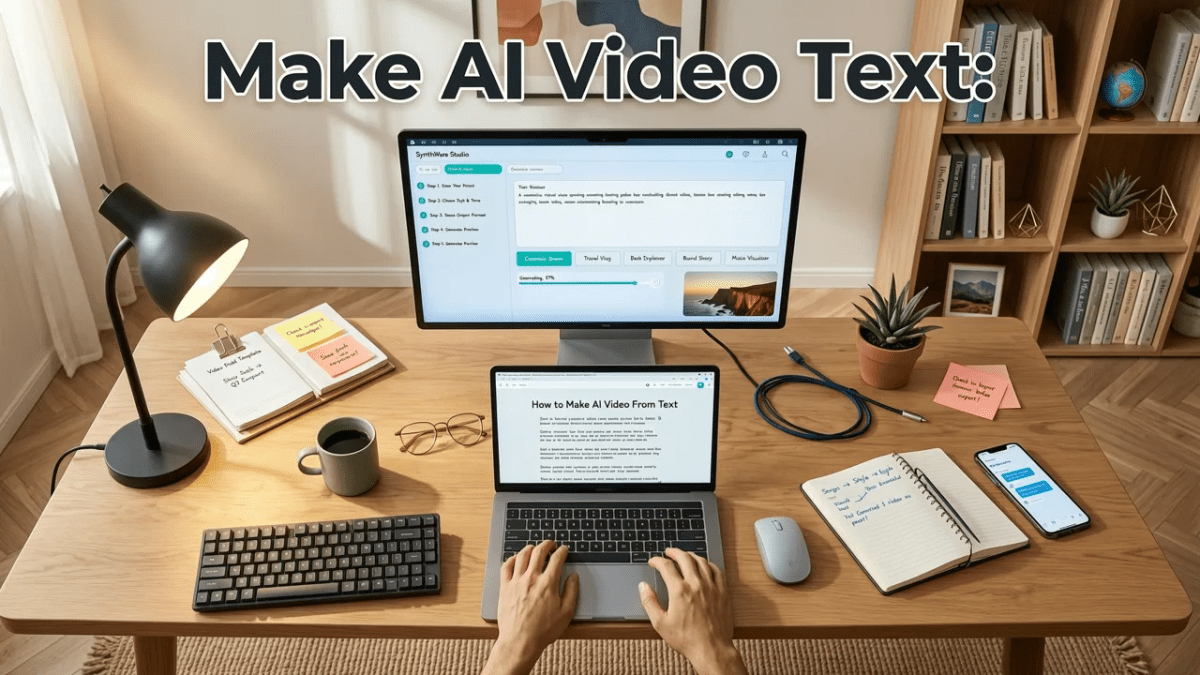
Creating a professional-grade AI video requires a structured approach. Follow this step-by-step workflow to take your project from a simple text idea to a fully realized visual asset.
Step 1: Choose the Right AI Video Generator
Not all AI models are built the same. Some excel at photorealism, while others are optimized for 3D animation or anime styles. Platforms like Ai Fun Studio aggregate multiple state-of-the-art models, allowing you to select the specific engine that best fits your project's aesthetic. Consider factors like maximum resolution, generation speed, and available aspect ratios when selecting your tool.
Step 2: Craft a High-Converting Text Prompt
The quality of your output is directly tied to the quality of your input. A vague prompt will yield generic results. To get the best output, structure your prompt using the following elements:
- Core Subject: Clearly define who or what is in the scene.
- Action and Motion: Describe exactly what the subject is doing and how they are moving.
- Environment and Setting: Detail the background, time of day, and weather conditions.
- Camera Movement: Specify the lens type and camera motion, such as a slow drone pan or a tight macro zoom.
- Lighting and Style: Include cinematic lighting terms like volumetric rays, golden hour, or neon cyberpunk aesthetics.
Step 3: Generate, Review, and Refine
Once your prompt is entered, initiate the generation process. Most platforms will provide a low-resolution preview within seconds. Review the temporal consistency and check for any visual artifacts. If the motion is too erratic, adjust the motion scale parameters. If the subject's appearance shifts too much, refine your descriptive adjectives and regenerate. Iteration is a normal and expected part of the AI creation process.
Step 4: Edit and Integrate Audio
AI video generation provides the visual foundation, but audio brings the scene to life. Export your final video clip and bring it into your preferred non-linear editor. Add ambient sound effects, Foley, and a professional voiceover. Color grading can also be applied in post-production to ensure the AI output matches your brand guidelines or the rest of your project.
Mastering the Art of the AI Video Prompt

Prompt engineering for video is fundamentally different from image generation. Because video involves time and motion, you must describe not just what the scene looks like, but how it unfolds. Use active verbs and directional cues.
For example, instead of writing "a car driving in the rain," write "a sleek black sports car drifting around a wet corner, tires kicking up heavy spray, shot with a tracking camera from a low angle, cinematic lighting, 4k resolution." The added context regarding camera angle and specific motion details gives the neural network a much clearer directive.
For a deeper dive into crafting the perfect instructions and accessing ready-to-use templates, check out our Top Text to Video AI Prompts for 2026: A Creator's Guide.
Comparing Leading AI Video Models in 2026
Choosing the right underlying model can drastically change your final output. Here is a comparison of the leading AI video generation engines available to creators this year.
| AI Model | Max Resolution | Temporal Consistency | Best Use Case |
|---|---|---|---|
| Sora (OpenAI) | 1080p | Excellent | Complex narratives and long-form scenes |
| Veo 2 (Google) | 4K | Excellent | Photorealistic cinematography and nature |
| Runway Gen-4 | 1080p | Very Good | Stylized visuals and precise camera control |
| Ai Fun Studio Pro | 4K | Excellent | Commercial marketing and social media assets |
Common Mistakes to Avoid When Generating AI Video
Even experienced creators can fall into common traps when transitioning to AI video. Avoid these pitfalls to save time and compute credits.
- Overloading the Prompt: Asking for too many subjects and actions in a single prompt often confuses the model. Keep scenes focused on one or two primary elements.
- Ignoring Camera Mechanics: Failing to specify camera movement results in static or randomly panning shots. Always define your lens and movement.
- Neglecting Aspect Ratios: Generating a 16:9 landscape video when you actually need a 9:16 vertical video for TikTok or Reels will ruin the composition. Always set your aspect ratio before generating.
- Expecting Perfection on the First Try: AI generation is probabilistic. Expect to generate multiple variations to find the perfect take.
Responsible AI Generation and Ethical Standards
As synthetic media becomes indistinguishable from reality, ethical creation is paramount. Always ensure you have the rights to any reference images or copyrighted material you use to guide your generations. Furthermore, avoid generating deepfakes, misleading political content, or harmful imagery.
When creating synthetic media, it is crucial to follow ethical frameworks, such as those outlined in the Google AI guidance on responsible development. Transparency is key; if you are publishing AI-generated content on social media or in commercial campaigns, consider adding a subtle watermark or disclosure to maintain audience trust.
Advanced Techniques for Professional Creators
For agencies and advanced filmmakers, text-to-video is just the beginning. The real power emerges when you combine text prompts with other modalities.
Image-to-Video Extensions
Instead of relying solely on text, generate a perfect static image first using an AI image generator. Then, use that image as the first frame for your video generation. This technique, known as image-to-video extension, guarantees that your character design or product placement remains 100% consistent with your brand assets before any motion is applied.
Keyframing and Camera Control
Modern platforms allow you to define specific keyframes. You can set the starting position of the camera and the ending position, and the AI will interpolate the motion between the two. This is invaluable for creating smooth product reveals or establishing shots that match a specific storyboard.
API Integration for Automated Workflows
Developers and large agencies can automate their content pipelines by connecting AI video generators directly to their project management tools. For technical specifications, rate limits, and parameter tuning when building custom integrations, you can explore the OpenAI documentation and equivalent API references for other leading models.
Conclusion: Start Creating Today
Learning how to make AI video from text in 2026 is no longer about fighting the technology; it is about directing it. By combining structured prompt engineering with a solid post-production workflow, you can produce high-end visual content at a fraction of the traditional cost and time.
The tools are more powerful, the models are more consistent, and the creative possibilities are virtually endless. Ready to bring your vision to life? Head over to Ai Fun Studio, choose your model, type your first prompt, and start generating your next masterpiece today.
Frequently asked questions
What is the best AI tool to make video from text in 2026?
The best tool depends on your specific needs. For photorealistic cinematography, models like Veo 2 and Sora are industry leaders. For commercial marketing, social media assets, and an all-in-one workflow, platforms like Ai Fun Studio offer optimized engines tailored for creators and businesses.
How long does it take to generate an AI video from a text prompt?
Generation time varies based on the model, resolution, and video length. A standard 5-second 1080p clip typically takes between 30 seconds to 2 minutes to render. Higher resolutions like 4K or longer durations can take several minutes.
Can I use AI-generated videos for commercial projects?
Yes, most premium AI video platforms grant you full commercial rights to the videos you generate on paid tiers. However, always review the specific terms of service of the platform you are using, and ensure your text prompts do not infringe on existing copyrighted characters or trademarks.
How do I fix weird morphing or glitching in AI videos?
Morphing usually occurs when the prompt is too complex or the motion scale is set too high. Simplify your prompt to focus on one main subject, lower the motion parameters, and ensure you are using a model known for high temporal consistency. Using an image-to-video workflow can also lock in the subject's appearance.
Do I need to know how to use a camera to make good AI videos?
No, you do not need physical camera experience, but understanding basic cinematography terminology is highly beneficial. Knowing terms like 'pan,' 'tilt,' 'depth of field,' and 'golden hour lighting' allows you to write better prompts and direct the AI more effectively.
Try it with your own prompt
New accounts get free starter credits, so you can put this guide into practice before you pay for anything. Nothing to install: Ai Fun Studio runs in your browser.
Start Free Now